

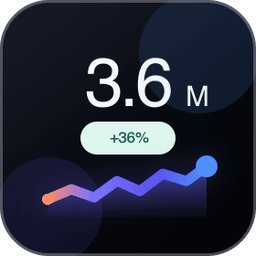
KPI Card
by Eduard Nizamov
Free
Description
KPI Card
KPI Card turns any Tableau worksheet into clean, modern metric cards — each with a large headline value, an inline trend chart, and automatic period-over-period comparison.
What it does
- Large, auto-formatted headline KPIs (K/M/B, currency, percent)
- Inline trend chart per metric — line, bar, or area
- Automatic period comparison — % change vs previous period or same period last year
- At-a-glance statistics — min, max, average, median
- Category grouping — one card per category from a single measure
- Light and dark themes; responsive grid, list, or single-card layouts
Primary use cases
- Executive summary tiles at the top of a dashboard
- Sales, finance, and operations scorecards
- A richer alternative to plain big-number text — cards that also show trend and context
Requirements
- Tableau Desktop, Server, or Cloud with Viz Extensions (Extensions API 1.13+)
- Drop a measure on Metric; optionally add a date field for the trend chart
Privacy — KPI Card runs entirely in your browser, inside the Tableau sandbox. No data ever leaves your environment. Privacy Policy: https://databeyond.app/legal/privacy
Resources — Release notes: https://databeyond.app/extensions/kpi-cards/releases · Support: https://databeyond.app/support · Terms: https://databeyond.app/legal/terms
Tech Specifications
- Hosted at
- https://kpi.databeyond.app/
- Works with
- Tableau 2024.2 and later
Resources
Developer WebsitePrivacy PolicyTerms of Service
Download and start your free trial of Tableau today.
Try Tableau Now